
Legal Case Management System
The Legal Case Management System is developed to digitize legal operations, centralize sensitive case information, and support legal teams with smart workflows from the courtroom to the back office.
Its main purpose is to:
- Streamline legal case tracking across jurisdictions and advocates
- Maintain structured records of cases, hearings, and judgments
- Ensure secure and organized advocate and party data management
- Automate hearing scheduling and documentation
- Enable transparent financial tracking, including expenses and payments
- Simplify invoice creation and client billing for legal services

Modernizing Legal Case & Court Management for Faster, Smarter Operations
Legal professionals today face growing caseloads, complex court structures, scattered documentation, and rising administrative workloads that slow down decision-making. This system addresses these challenges by centralizing case data, hearings, financials, court hierarchies, and advocate records into one unified workflow. With streamlined scheduling, automated invoicing, secure document handling, and workspace-based organization, it empowers firms, advocates, and institutions to operate with greater accuracy, efficiency, and visibility across the entire legal lifecycle.
Legal Case Management System

Advocate Management
Learn moreCourt Hierarchy & Jurisdiction
Learn moreCase Lifecycle Manager
Learn moreHearing Scheduler
Learn moreFinancial Manager
Learn moreInvoice Generator
Learn moreSmart Legal Case Management Tools
Centralize and streamline all aspects of legal operations, including case tracking, advocate management, hearings, finances, and invoicing through a single, intuitive platform.
👥 1. Advocate Information Management
Maintain detailed professional and financial profiles for each advocate, including contact info, banking details, and workspace assignments. This ensures seamless task allocation, accountability, and role-based access throughout case workflows.
Key Capabilities:
- 🔐 Link advocate profiles to system users
- 🏢 Record office and residential addresses
- 🏦 Add bank account details and company affiliations
- 📂 Organize profiles by legal workspace or practice area

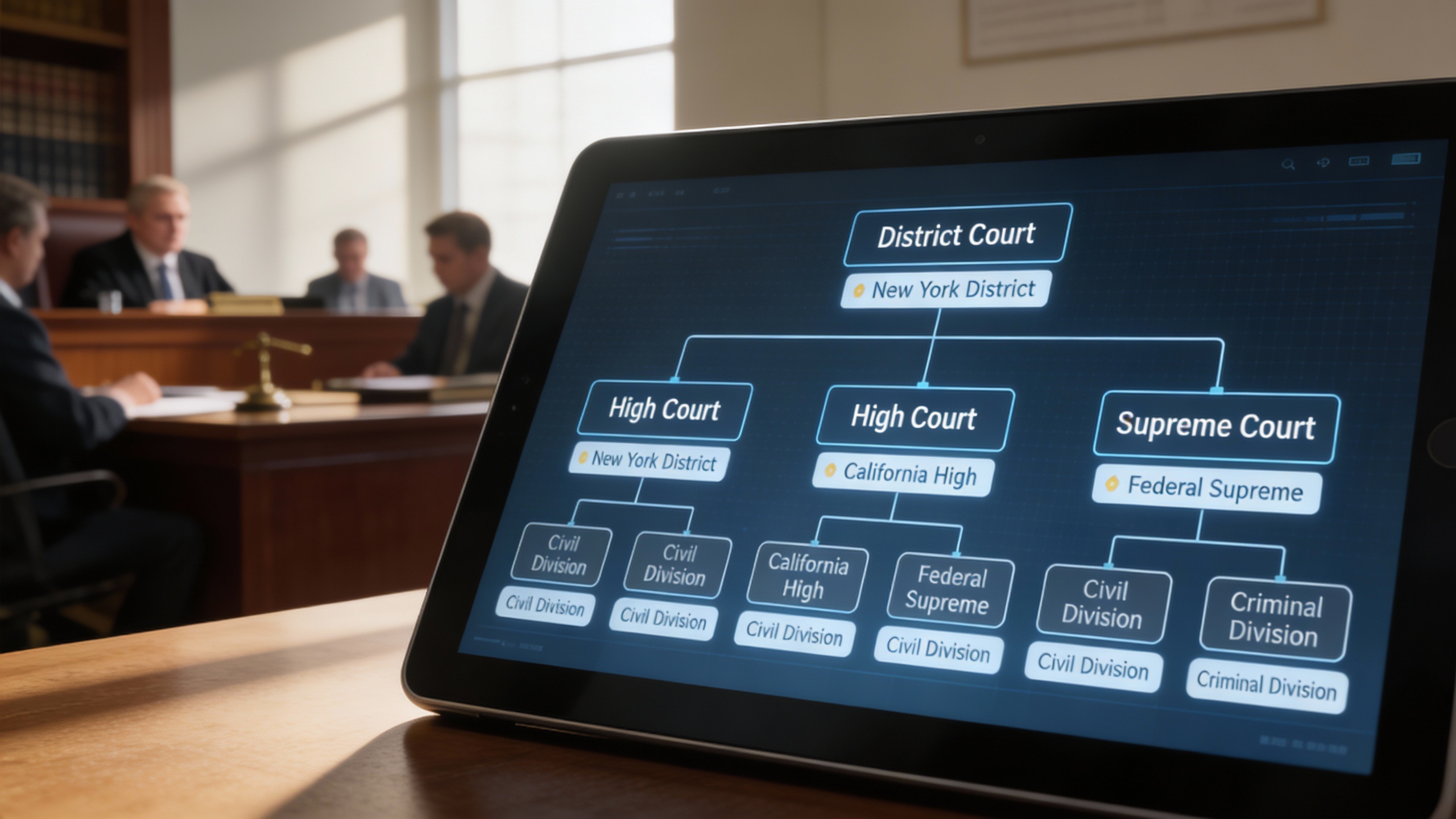
🏛️ 2. Court Hierarchy Setup
Define courts, divisions, and regional jurisdictions with complete clarity, connecting sub-courts to parent courts for easy navigation. This helps ensure cases are assigned correctly and all parties understand the legal structure at a glance.
Key Capabilities:
- 🌍 Create court levels (District, High, Supreme) with location tags
- 🔗 Connect sub-courts to their parent courts
- 📌 Set up divisions and departments within each court
📄 3. Case Lifecycle Management
Track every case from initiation to verdict, logging metadata, parties, FIRs, legal sections, and assigned judges. This provides full visibility over case progress, ensures nothing is missed, and streamlines reporting and follow-ups.
Key Capabilities:
- 📝 Input case metadata: type, number, filing date
- ⚖️ Record party names, opponents, and legal advocates
- 🚨 Assign FIR numbers and applicable legal sections
- 👨⚖️ Track judges, case stages, and police/court hall info

📅 4. Hearing Schedule Management
Digitally schedule, track, and manage all hearings with chronological order notes, order sheets, and attached rulings. This enables advocates and staff to stay on top of deadlines, avoids conflicts, and ensures transparent communication.
Key Capabilities:
- 📆 Assign hearings with time, location, and responsible parties
- 🗒️ Upload order sheets, enter notes, and document rulings
- 🧾 Maintain a hearing log sorted by workspace and case

💵 5. Financial Management (Expenses & Fees)
Centralize all case-related expenses, payments, and reimbursements with full history and categorization. This allows accurate tracking of client billing, internal costs, and audit-ready financial reporting.
Key Capabilities:
- 💸 Log expenses with amount, method, and category
- 💳 Record incoming payments from clients or agencies
- 📂 Store financial history and internal remarks for audits
- 🔗 Tie each transaction to specific cases and users

🧾 6. Invoice Management
Generate customizable invoices with tax, discounts, multiple line items, and client-specific terms. Automatic reminders and payment tracking streamline collections while maintaining financial clarity and accountability.
Key Capabilities:
- 📋 Use invoice templates with tax, discounts, and multiple items
- 📆 Set issue and due dates with auto-reminder options
- 💵 Add bank/payment info and client-specific terms
- 📊 Track paid, pending, and overdue statuses

Who Can Benefit from the System?
⚖️ Law Firms & Legal Consultancies
Provide law firms, advocates, and legal teams with tools to manage cases, track workflows, and stay compliant efficiently.
Overview:
Key Benefits:
🧑⚖️ Independent Lawyers & Advocates
Overview:
Key Benefits:
🏢 Corporate Legal Departments
Overview:
Key Benefits:
🏛️ Judicial Institutions & Clerks
Overview:
Key Benefits:
🌐 Legal Tech & Case Management Providers
Overview:
Key Benefits:
TRUSTED BY 100+ HAPPY CUSTOMERS






Item 1 of 6
Item 1 of 6
Item 1 of 6
Latest insights and updates on technology trends and innovations






Item 1 of 6
Ready To Transform Your Business? Book a Free Consultation
Leave your email below to start a new project journey with us. Let’s shape the future of your business together.